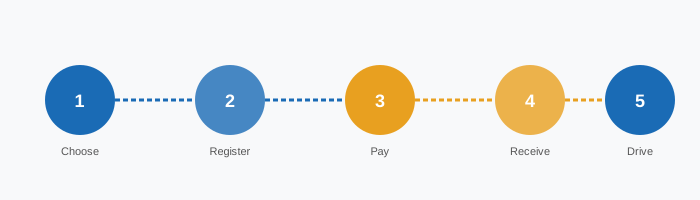
The 8-Step Purchase Process
-
Step 1: Determine Your Vehicle Category
Before purchasing, confirm your vehicle falls under the vignette system. Vehicles up to 3.5 tonnes gross weight (cars, motorcycles, campervans, light vans) require a vignette. Vehicles over 3.5t use the GO-Box electronic toll system instead. Check your vehicle registration document (Zulassungsschein) for the gross weight.
-
Step 2: Check if a Trailer Is Attached
If you are towing a trailer (caravan, boat trailer, etc.), it requires its own separate vignette. The trailer's vignette is purchased independently, linked to the trailer's registration plate. Do not forget this step — cameras check both the towing vehicle and trailer.
-
Step 3: Choose the Right Validity Period
Use the Selection Matrix to determine whether the 10-day, 2-month, or annual vignette suits your trip. Consider your entry and exit dates, and add a buffer day if your plans are flexible.
-
Step 4: Prepare Your Vehicle Registration Details
You will need the exact licence plate number as it appears on the registration document. For foreign plates, include the country prefix. Double-check for typos — the vignette is linked to the plate number, and errors cannot be corrected after purchase.
-
Step 5: Visit the Official ASFINAG Portal
Go to the official ASFINAG e-vignette website (shop.asfinag.at). Avoid third-party resellers unless they are officially listed by ASFINAG. Unofficial sites may charge higher fees or provide invalid vignettes.
-
Step 6: Enter Vehicle and Payment Details
Enter your licence plate, select the vignette type, choose the start date, and proceed to payment. Accepted payment methods include major credit/debit cards and some digital wallets. Ensure your billing address matches your card details to avoid payment failures.
-
Step 7: Receive Confirmation
After successful payment, you will receive a confirmation email with a transaction reference number. Save this email. The vignette is registered in the ASFINAG database immediately — there is no physical document to display in your vehicle.
-
Step 8: Verify Before Driving
You can verify your vignette registration on the ASFINAG website using your licence plate number. Do this before entering a motorway, especially if you purchased the vignette shortly before travel. Allow up to 18 hours for the database to update in rare cases.
Preparation Checklist
- Confirm vehicle gross weight is under 3.5 tonnes
- Check if a trailer is attached and needs a separate vignette
- Decide on the correct validity period using the Selection Matrix
- Have your vehicle registration document ready
- Note the exact licence plate number (including country prefix for foreign plates)
- Prepare a valid payment method (credit/debit card)
- Check that your email address is correct for confirmation
- Identify any special toll roads on your route (Brenner, Tauern, etc.)
- Set the correct start date (can be up to 18 days in advance for 10-day)
- Verify the purchase on the ASFINAG portal after completion
- Save the confirmation email with transaction reference
- Check if your route includes any exempt roads (no vignette needed)
Boundaries & Exceptions
- The vignette is non-refundable once the start date has passed
- Only one active vignette per licence plate at a time
- Motorcycles with engine displacement under 50cc are exempt
- Emergency vehicles and military vehicles are exempt
- Vehicles registered in Austria and exempt by law (e.g. certain agricultural vehicles)
- The vignette does not cover section tolls (Streckenmauts) on specific roads
- Foreign plates follow the same rules as Austrian plates
- The vignette cannot be transferred to another vehicle or plate
Common Mistakes to Avoid
| Mistake | Consequence | Prevention |
|---|---|---|
| Wrong licence plate entered | Invalid vignette, potential fine | Double-check plate before confirming |
| Forgetting trailer vignette | Fine for trailer | Always check if towing |
| Buying too late (same day) | Not in database yet | Buy at least 1 day ahead |
| Using unofficial reseller | Overcharged or invalid | Only use shop.asfinag.at |
| Wrong start date | Coverage gap | Verify date before payment |